
Demand forecasting is different from master planning. It’s a long-term plan used by companies to anticipate demand/supply. This paper explains the data source that will feed our budget planning. So, we will not explain how to produce a forecast automatically, because it is a matter of master planning.
The activities for planning to create the original budget are:
- Insert the demand forecast;
- Insert the supply forecast;
- Generation of the original demand budget
- Generation of the original supply budget
Insert the demand forecast
Go to: Master planning> Forecasting> Manual forecast entry> Demand forecast lines.
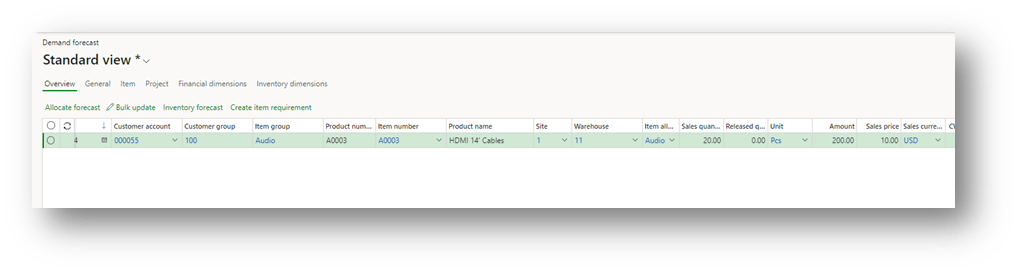
Create a new forecast and insert at least these data:
- Model: Use a dedicated model for budgeting planning
- Date: Inset a start date;
- Customer/Customer Group: Insert the reference date of our customer (group or specific customer);
- Item/Item group: Insert the reference date of our item (group or specific item);
- Inventory dimensions: Inset the inventory specification (site, warehouse, etc…)
- Amount: Insert the amount forecasted (alternatively, we can insert the quantity and the unit price)
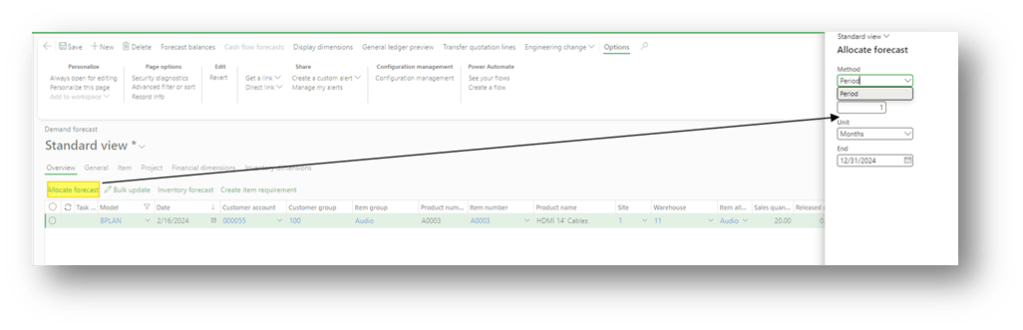
We can use the function “allocate forecast” to allocate the demand through time:
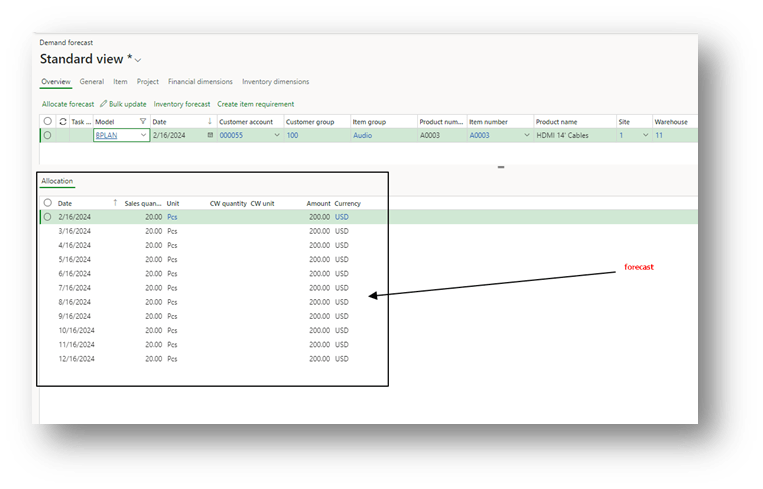
We’re going to find the forecast below the form:
Insert the supply forecast
Go to: Master planning> Forecasting> Supply forecast lines.
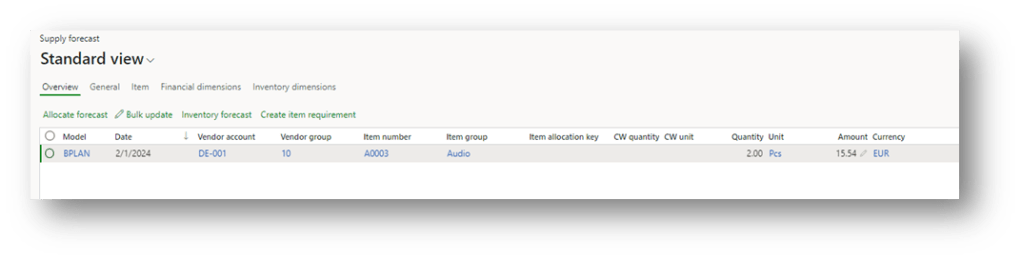
The procedure is the same as the demand forecast. Create a new forecast and insert at least these data:
- Model: Use a dedicated model for budgeting planning
- Date: Inset a start date;
- Vendor/Vendor Group: Insert the reference date of our customer (group or specific vendor);
- Item/Item group: Insert the reference date of our item (group or specific item);
- Inventory dimensions: Inset the inventory specification (site, warehouse, etc…)
- Amount: Insert the amount forecasted (alternatively, we can insert the quantity and the unit price)
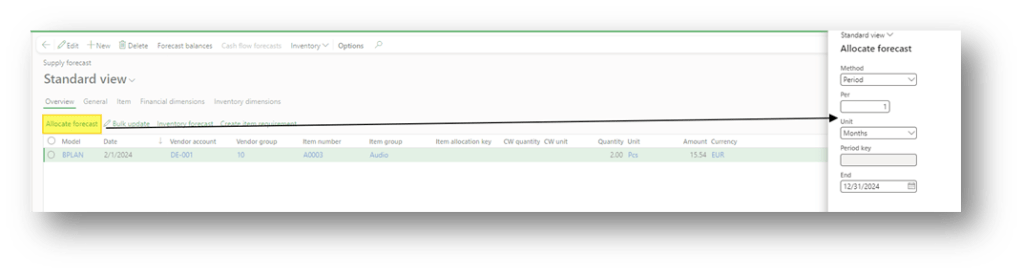
We can use the function “allocate forecast” to allocate the demand through time:
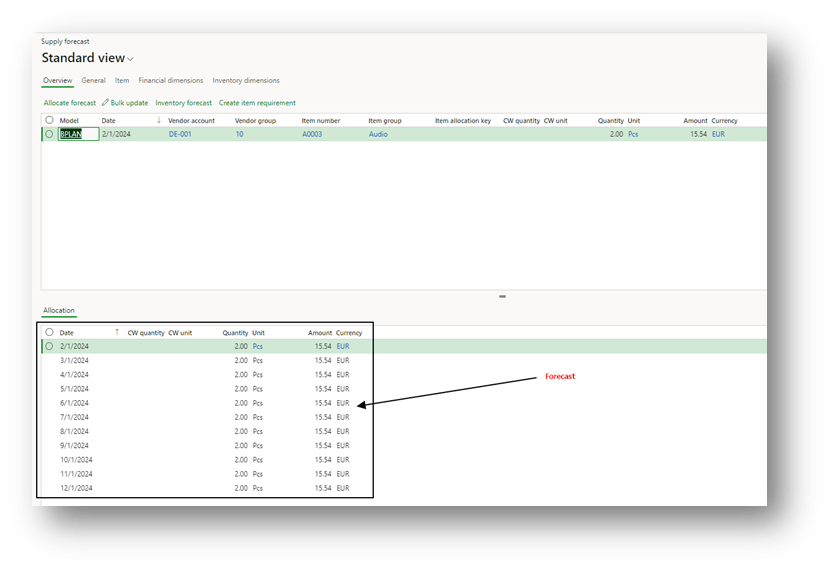
We’re going to find the forecast below the form:
Generation of the original demand budget
Go to: Budgeting> Periodic> Generate budget plan from demand forecasts.
Here, select the flag to say if we want to consider our demand related to sales orders and internal consumption (we suggest flagging both flags to evaluate the overall demand forecast). At the end, insert a filter to consider the forecast insert just with our model:

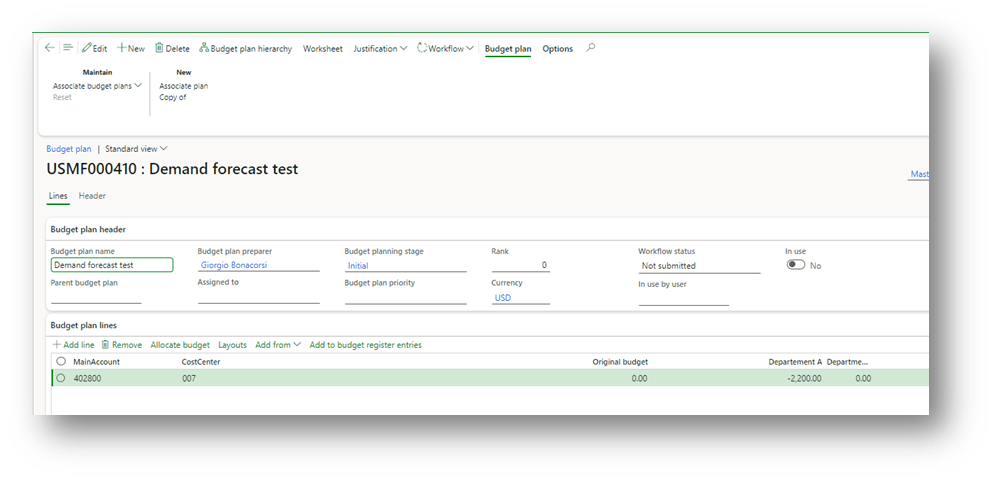
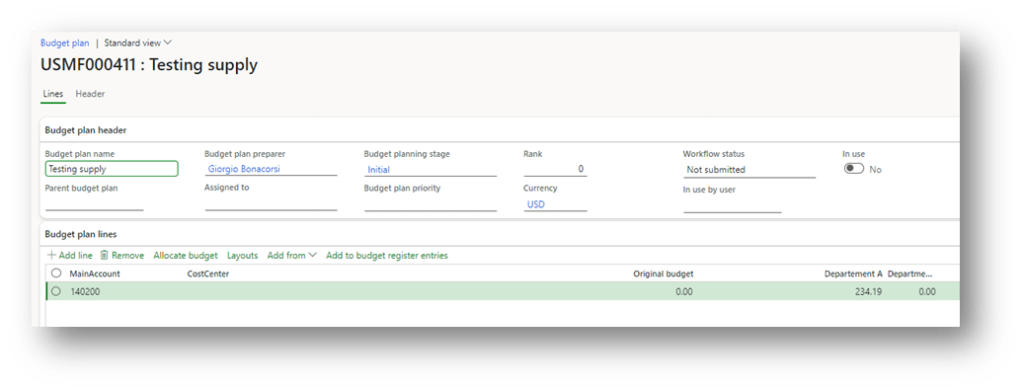
As we can see, D365FO recovered the forecast transaction to build a proposition:
Generation of the original supply budget
Go to: Budgeting> Periodic> Generate budget plan from supply forecasts.
Insert a filter to consider the forecast insert just with our model:
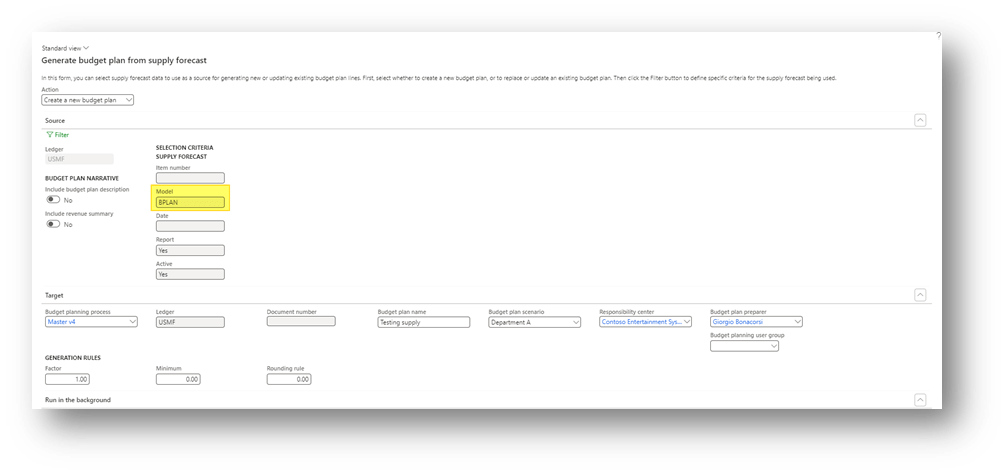
As we can see, D365FO recovered the forecast transaction to build a proposition:


 Dax365FO
Leave a reply to Budget solution landscape – Dax365 Cancel reply