
Transfer budget planning to a budget entry
When we finish the budget planning process, we should start to feed the budget control. So, to do it, we need to convert budgeting planning into a budget register entry. D365FO has a dedicated batch function to perform that. Keep in mind that each budget plan can be converted into one new budget entry. We should aggregate the budget planning into just one budget plan; if we need that, multiple budgeting planning will transfer to just one budget entry.
Transfer the budget plan to a budget entry
Go to: Budgeting> Periodic> Generate budget plan from budget register entries
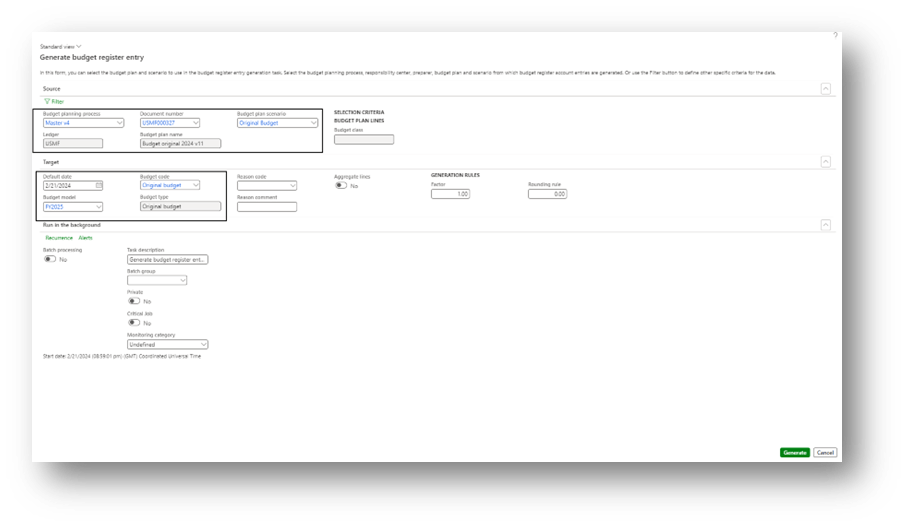
Here, we need to insert our source and destination data:
- Source
- Budget planning process: budget planning source name;
- Document number: Select the specific budget planning document’s number;
- Budget plan scenario: Select the scenario;
- Destination
- Default date: date to insert in the budget entry’s line
- Budget model: model to use when we generate the new budgeting entry
- Budget code: code to use when we generate the new budgeting entry
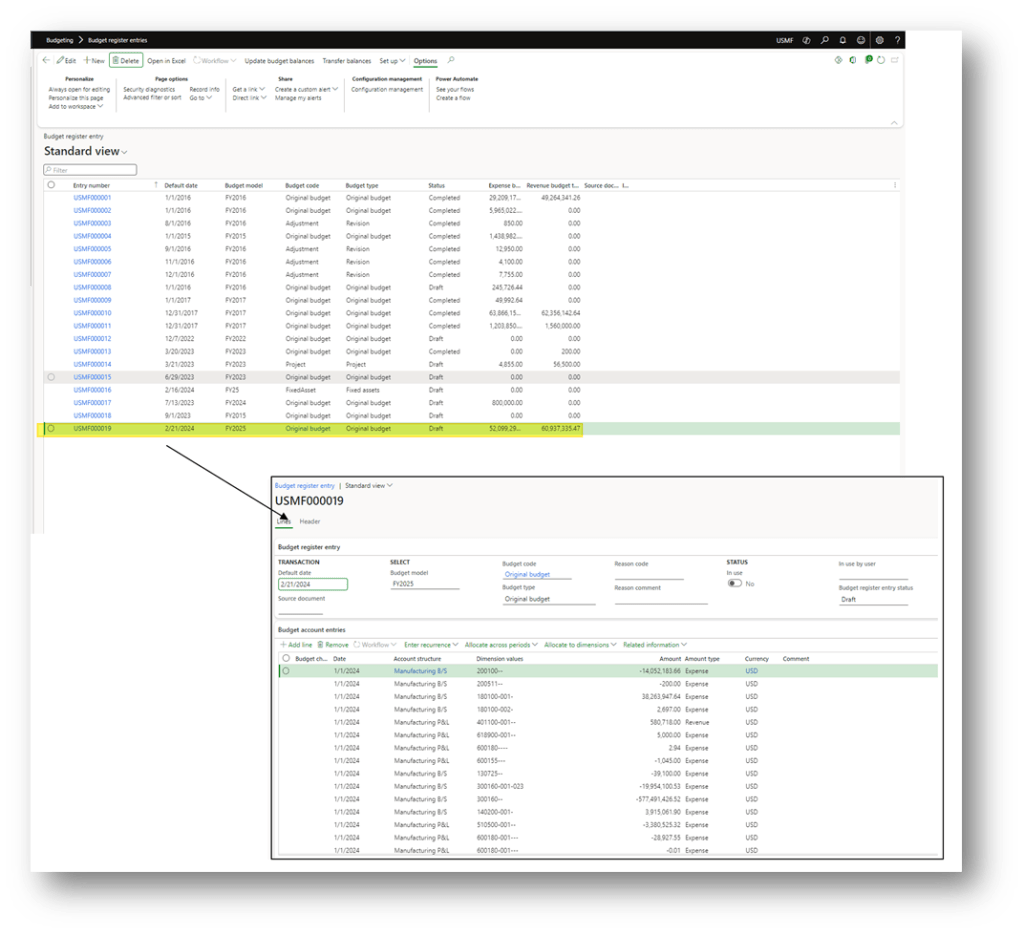
Launch the batch, and when it’s finished, we can see the new budget entry.


 Dax365FO
Leave a reply to Budget solution landscape – Dax365 Cancel reply