
D365FO Solution
Particularly in the budgeting plan, the integration with Excel can be used by the k-user to inquire and modify the budget plan. Because the estimations can become very complex, Excel provides better versatility for changing the planning based on the extra-system calculation.
The activities that we are going to show in this process are:
- Open Excel add-in;
- Modify the budget plan entry;
- Update the budgeting plan
The Excel adds a vaster topic link also to another process. We can read this article to have information about Excel-add-in handling:
As an advanced point, we can also see how to implement a Macro in Excel to perform automatic simulations calculate and transfer the result it to our budgeting plan: link
Business process
- Open Excel add-in
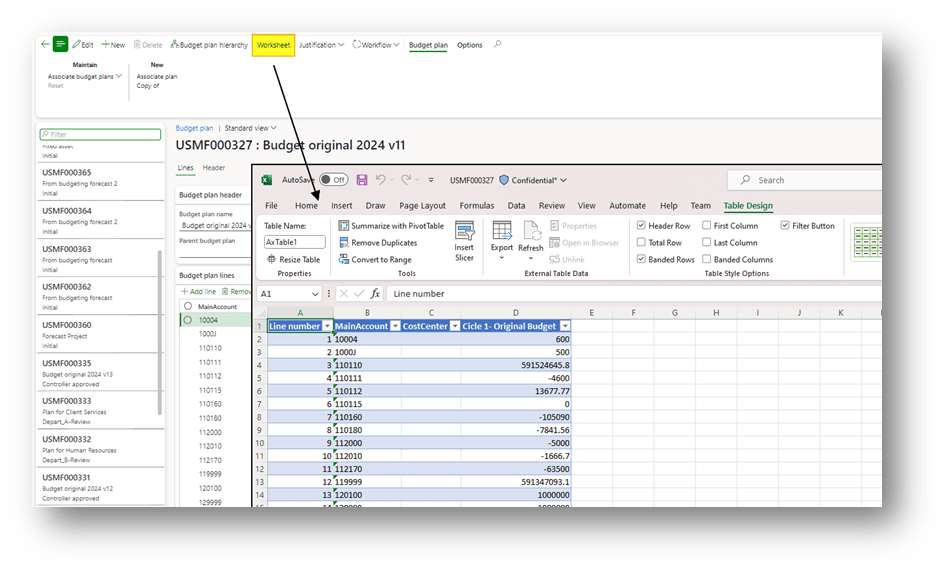
Go to: Budgeting> Budgeting plans> [select our budget plan]
Where click on “Worksheet” to open the Excel dd-in:
2. Modify the budget plan entry
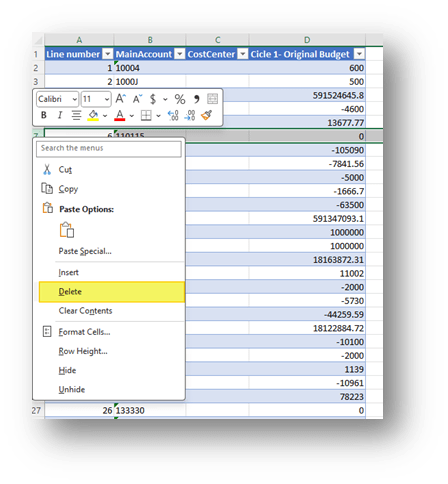
Where we can decide to select and delete a record:
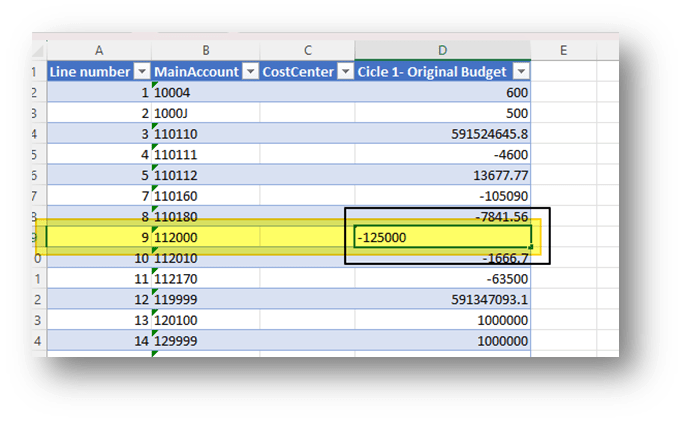
Or modify the value or a record:
3. Update the budgeting plan
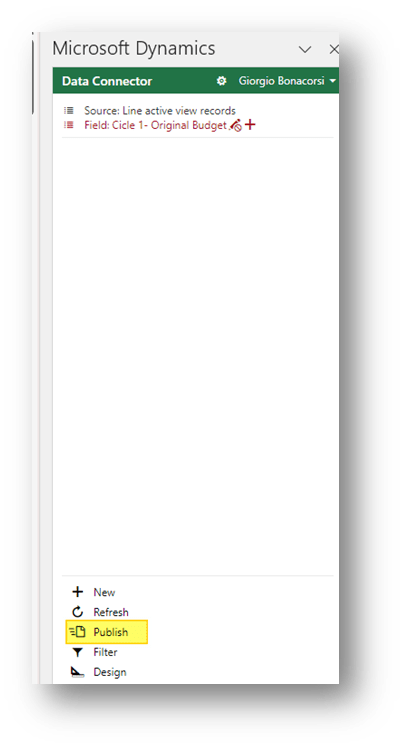
When we finish, press the button “publish” to synchronize D365FO with the data we have used.


 Dax365FO
Leave a reply to Budget solution landscape – Dax365 Cancel reply