
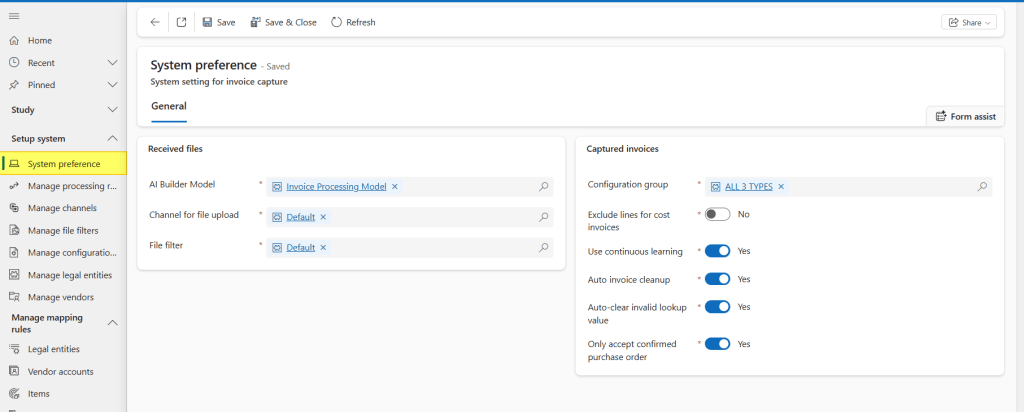
Here we configure the general parameters to rule our system:
Received files
- AI Builder Model: AI model to read our documents. For more details about how to train, I invite you to read the official guide: https://learn.microsoft.com/en-us/ai-builder/build-model );
- Channel for file upload: Channel to receive our invoice document (technical configuration);
- File filter: File format (technical configuration).
Captured Invoice
- Configuration group: I invite to see the configuration group article: https://dax365fo.org/2024/07/29/manage-configuration-group/. We can set a generic configuration, or at the contrary specify it by legal entity / vendors.
- Exclude lines for cost invoice: The invoice capture will not transfer the invoice lines, when we process a free text invoice.
- Use continuous learning: Allow the AI model to continue learning based the future matching process.
- Auto invoice cleanup: Clean the database, thus removing the invoice transfer after 180 days. In other words, the information will be present only in D365FO (recommended if we transfer even the pdf attachment on the ERP);
- Auto-clear invalid lookup value: If the value read by the invoice capture is inconsistent with what is present in D365FO, the system will clean up;
- Only accept confirmed purchase order: Allow the invoice capture only purchase order confirmed to read the document;


Leave a comment