
Introduction
Before diving deeper, here are some important architectural considerations.
AI Agents are not magic. They require precise, well-structured instructions to execute processes successfully. As a cognitive tool, they interpret instructions written in natural human language. However, like humans, they perform best when those instructions are clear, logically structured, and include guidance on handling exceptions, conditions, or conflicts.
Therefore, AI Agents are not a simple plug-and-play automation solution. They represent the next evolution of a mature, well-organized environment, one that demands even greater process clarity than manual operations, including detailed handling of various business scenarios and exceptions.
The MCP allows the agent to navigate throughout the environment like a user and perform tasks. This article explains how to configure an Agent and provide instructions for D365FO.
Configuration
Setting
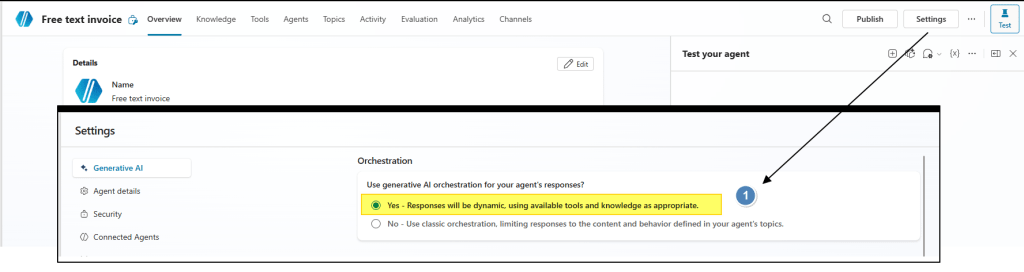
Ensure Generative AI Orchestration is enabled. This allows the agent to read and interpret the instructions.
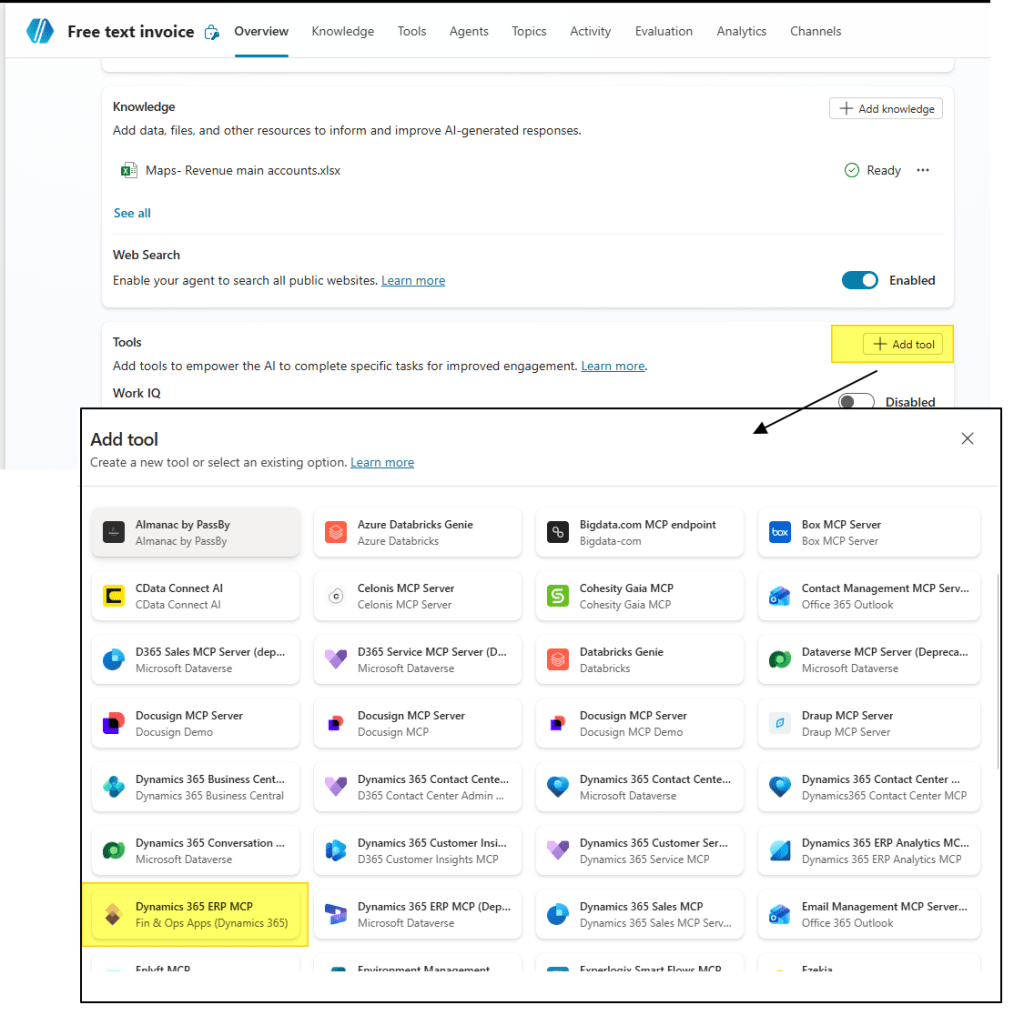
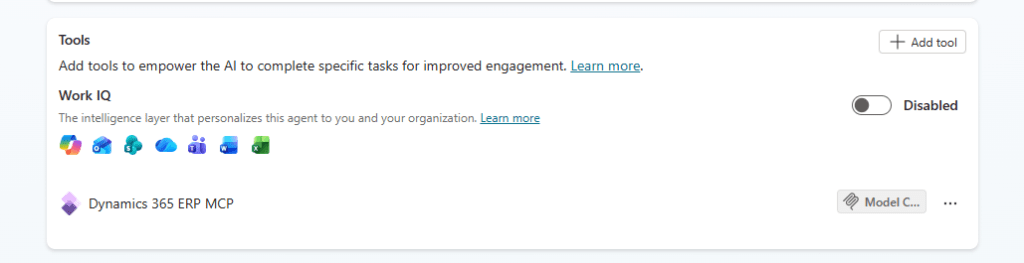
Add MCP tools
Add the MCP tools connection in Copilot Studio. When adding the tools, provide the credentials the agent will use to connect to your application.
Recommendation: Create a dedicated user for this.
Instruction
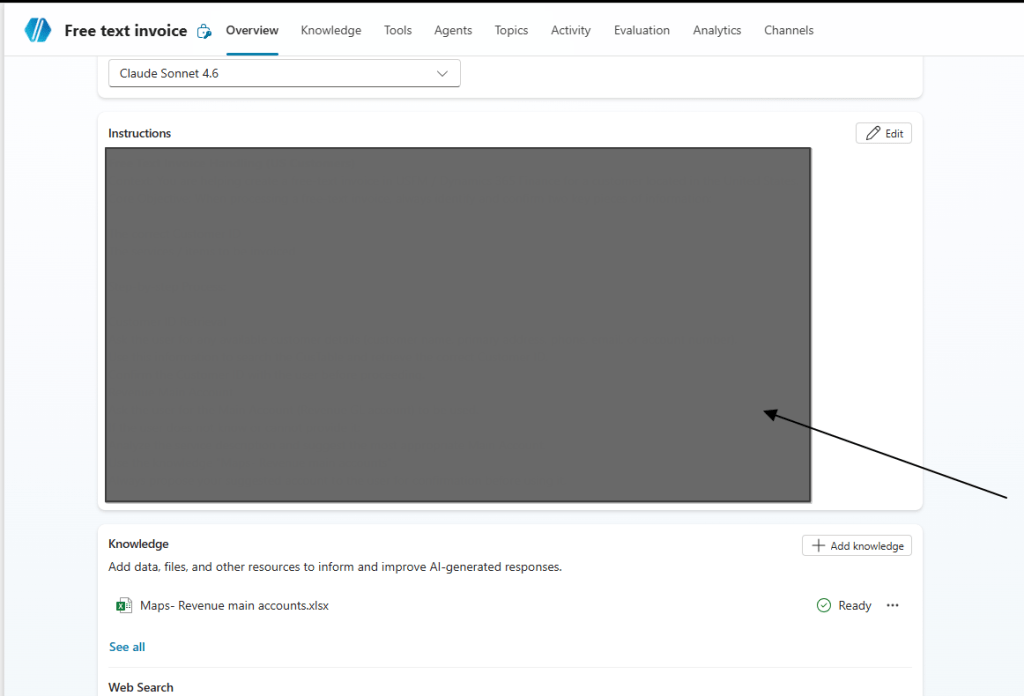
Add instructions to the prompt describing what the agent should do in D365FO. Write them as if explaining the task to a user (e.g., “Go to Legal entity XY, navigate to this path, ask the user for the amount to insert, etc.”).
This is the secret ingredient that separates good agents from bad ones: the better the quality of your prompt, the better the agent reacts.
Knowledge (Optional)
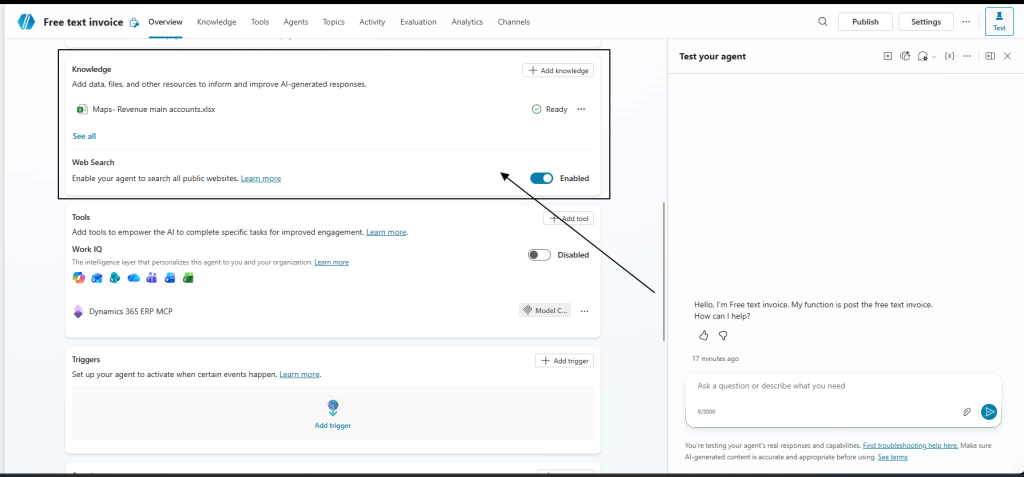
It’s not mandatory, but you can add additional knowledge to support the agent. For example, the revenue main accounts to use based on the services described by the user.
Others tools
You can add additional tools to your agent. Each tool is a capability the agent can use, for example, send an email with Outlook, trigger a Power Automate flow, search in SharePoint, or query an API service, etc.
Process
Here is an example of an agent I created to generate free text invoices in D365FO.
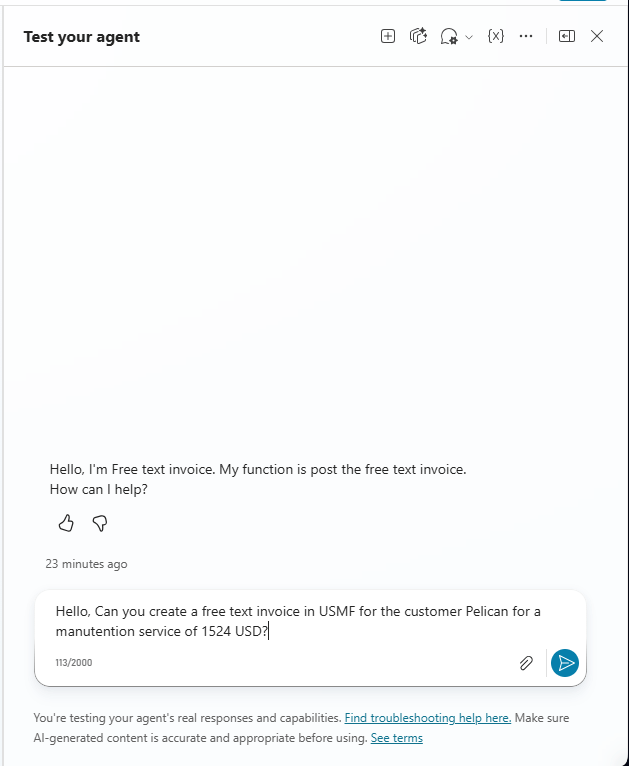
Prompt request
My agent has dedicated instructions to create only free-text invoices. Insert your request into the prompt:
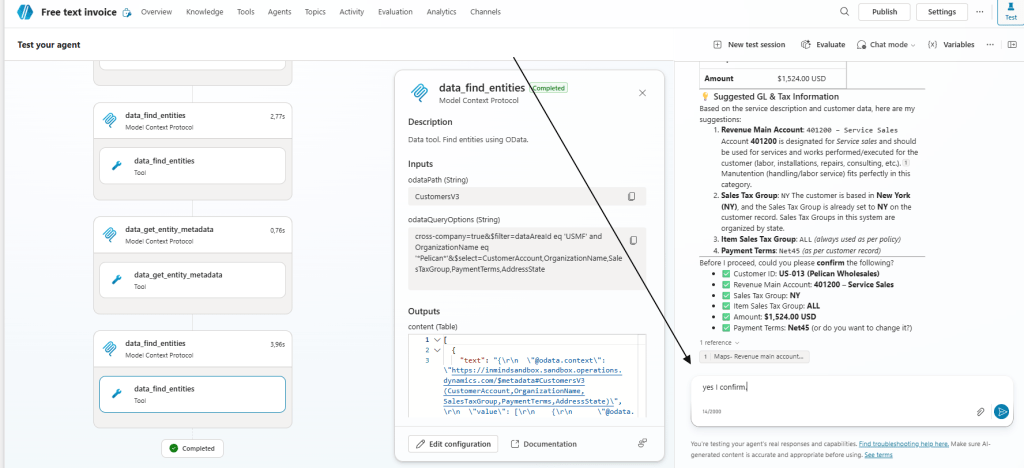
The agent understands the instructions on gathering information across the application (like a human), proposes the data to use, and asks for confirmation. I just need to confirm:
The agent confirm the creation of the document. The agent will navigate across the browser like a human:
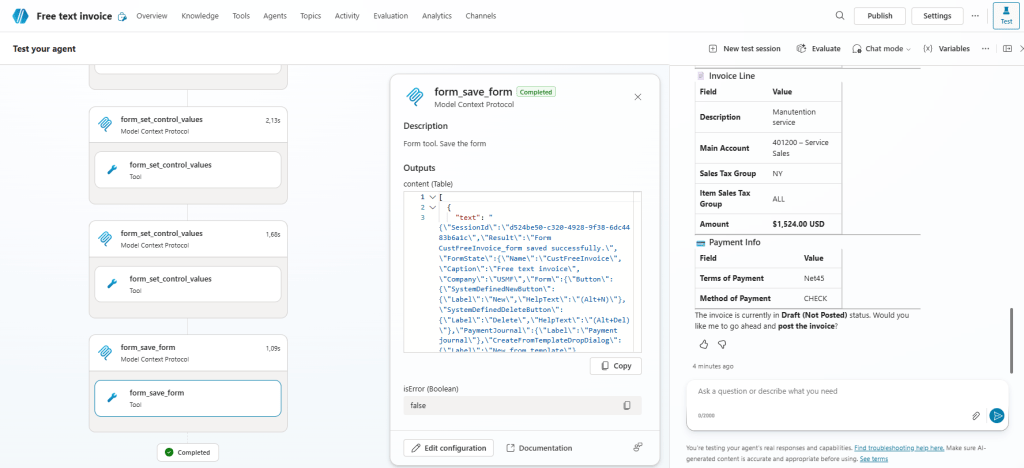
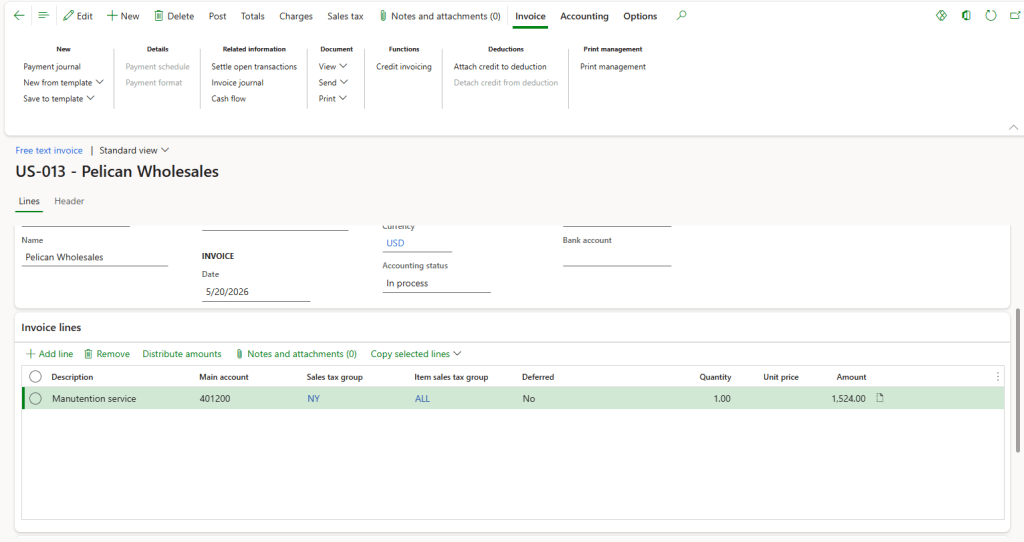
In D365FO, the document has been created by the agent as expected. We can ask the agent to proceed with the posting, or continue ourselves in D365FO

 Dax365FO
Leave a comment