
Introduction
The MCP allows external agents to use D365FO. However, its API endpoints must also be allowed in D365FO. This quick guide explains how.
This guide explains only the settings in D365FO. However, the application must first be registered in Azure and then configured in Microsoft Fabric. For further details on the complete configuration, see this documentation: https://learn.microsoft.com/en-us/dynamics365/fin-ops-core/dev-itpro/copilot/mcp/mcp-foundry
Configuration
Feature
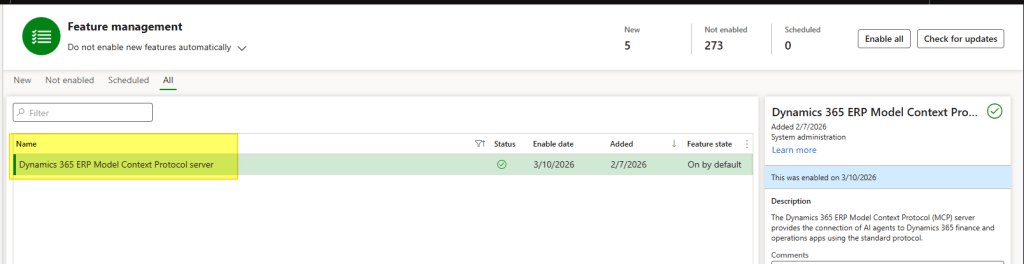
Path: System administration> Workspaces> Feature management.
From here activate the feature: Dynamics 365 ERP Model Context Protocol server
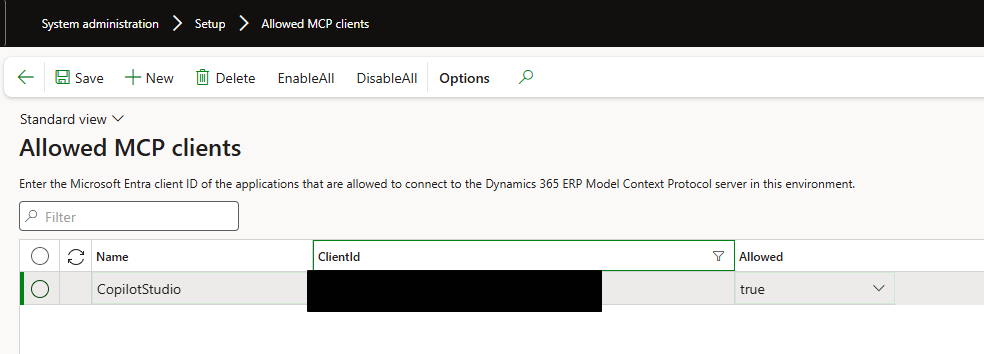
Allowed MCP clients
Path: System administration> Setup> Allowed MCP clients.
Insert the Agent Client ID create in azure and enable it.


Leave a Reply