
Business requirement
Sometimes, the Treasury records customer or vendor payments without precisely identifying the related invoice. In other words, these are generic payments used to reduce the total open balance, without specifying which invoice they are applied to.
D365FO has a function that sorts open transactions based on specific criteria and automatically matches the payment from top to bottom. This function can be applied to both Accounts Receivable and Accounts Payable.
There are two options for using this feature:
- Manual request of matching proposal: The user can ask D365FO to generate a matching proposal based on the configured rules during the creation of the payment journal.
- Auto-settlement: The automatic settlement process uses the configured priority rules to match transactions automatically. This option is not generally recommended, but it can be suitable for businesses where payments that do not specify an invoice should always be automatically matched based on the defined priority.
Configuration
Path: Accounts receivable/payable> Setup> Accounts receivable parameters.
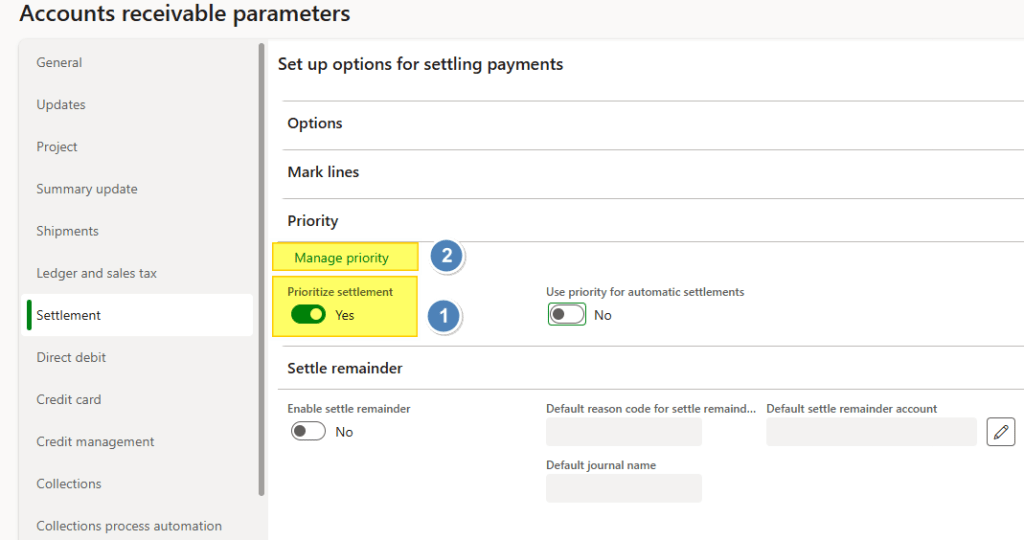
Enable the “prioritize settlement”, and click on “Manage priority” to set the sorting criteria:
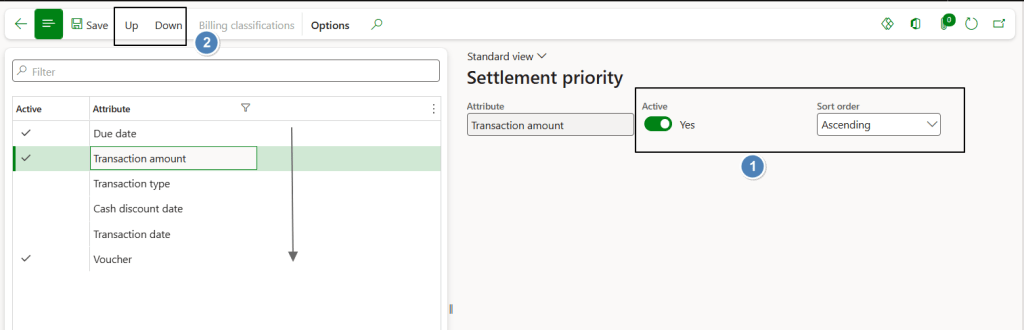
Activate the criteria and select the sorting order. Use the Up and Down buttons to arrange the priority of the criteria that will be applied when sorting open transactions.
In this example, the priority is based on the due date (oldest first). If two or more transactions have the same due date, the system then uses the transaction amount as the next sorting criterion.
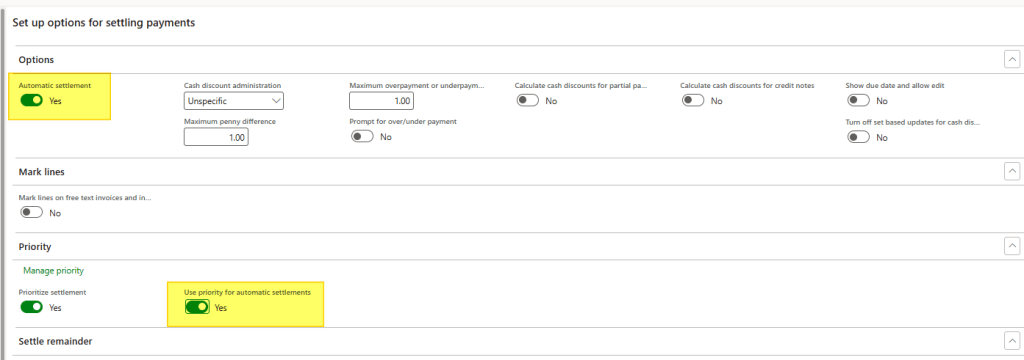
This follow configuration should be set only if we are interested even on implementing the second option (Auto-settlement). Select auto-settlement, and “use priority for auto-settlement”.
Process
Create payment journal
Path: Accounts receivable> Payments> Customer payment journal.
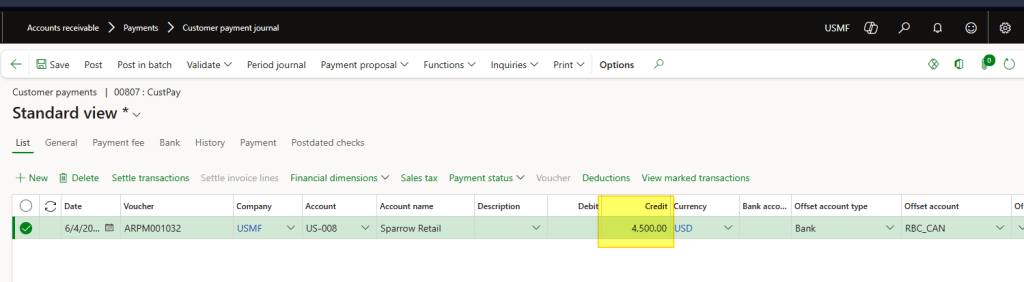
Create our payment journal as usual, and insert the payment amount:
Option 1 – Manual request of matching proposal
Select “Settlement transaction” and click on “make by priority”:
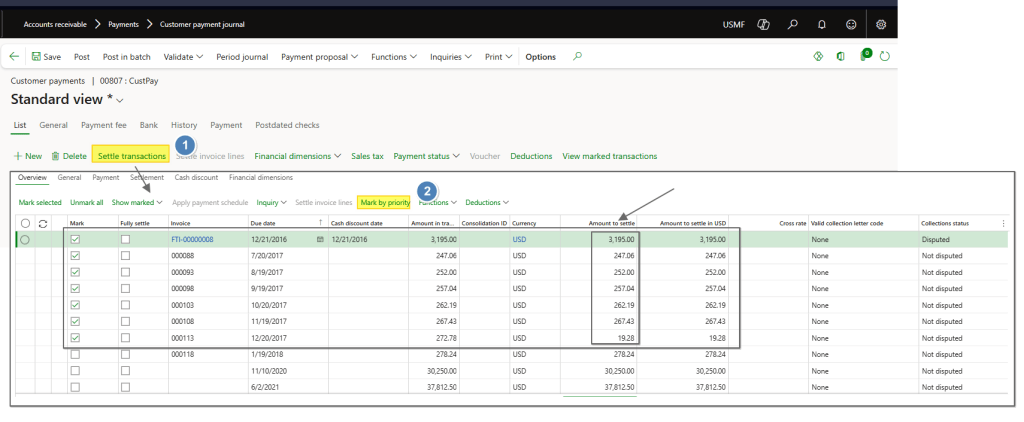
Process with the journal posting as usuall.
Option 2 – Auto-settlementl
Simply post the payment without running the Settle transactions process or the payment proposal. There are not transaction settle directly in the journal:
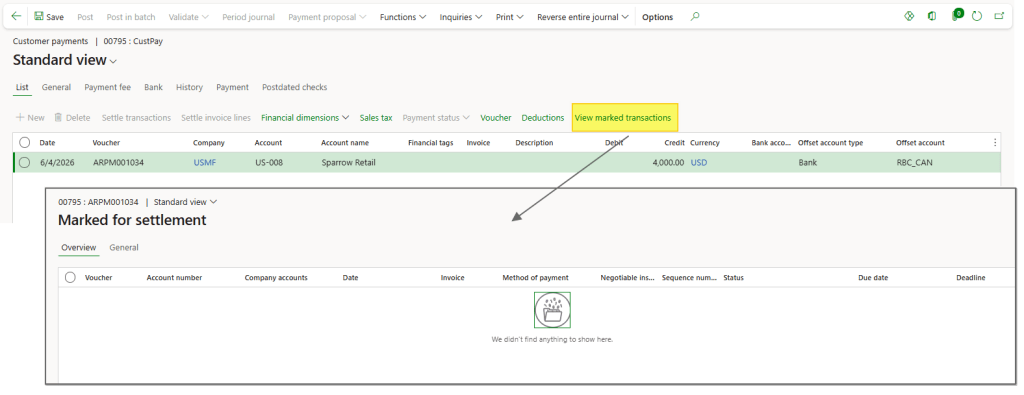
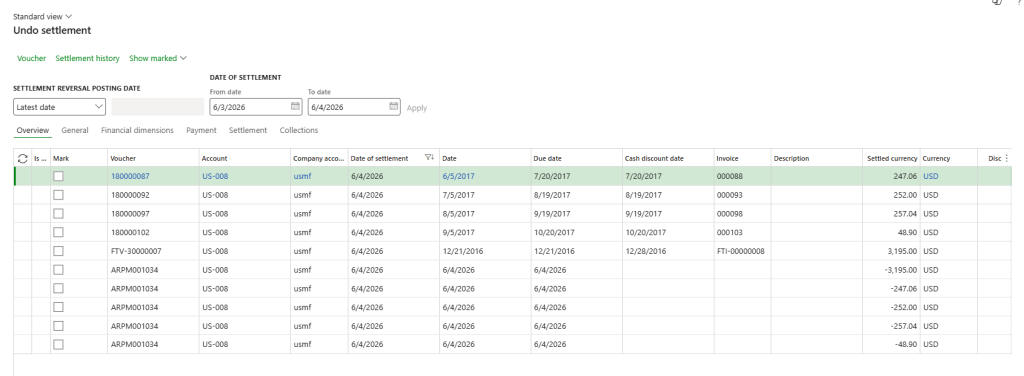
But because there are not settlement from the journal, we can see the auto-settlement that the system has done based the priority configuration:


Leave a Reply