
Introduction
Sometimes there is a need to track inventory transactions without changing the inventory value. This need usually come up from two types of business scenarios:
- Service items: If we handle the items as procurement categories, we lose the ability to track the “invoice to receipt”. So until now, we had only two alternatives: Lose this tracking by handling the service as a procurement category, or treat the service items as stocked items. With this new configuration, we now have a third option: inventory transactions are created (allowing us to track movements) without impacting the inventory stock value. However, because we are tracking these transactions, remember to define dedicated default physical dimensions for these service items in the Item master data (Site, Warehouse, etc.).
- Warehouse integration: Some items are irrelevant to the inventory stock value, or we only need to track inventory movements without impacting the stock value. This new configuration is perfect for this scenario.
Configuration
Items model
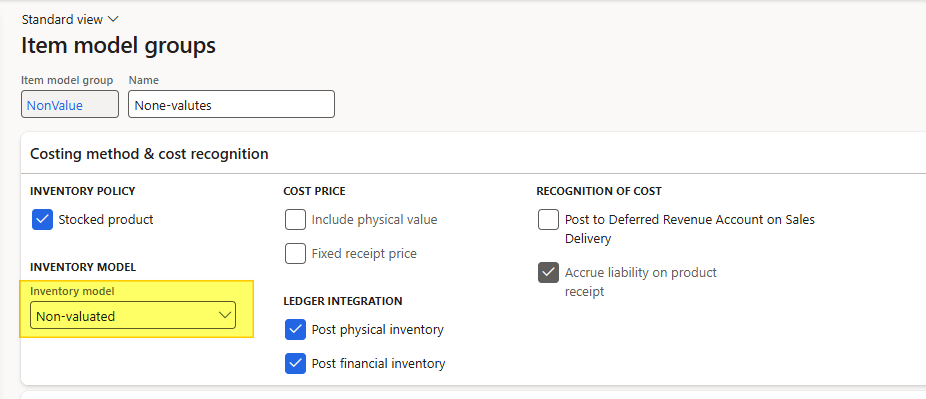
In this configuration, the Inventory model must be set to Non-valuated.
This enables the system to track inventory movements without considering physical or financial values. However, is mandatory for D365FO to check even the options Post physical inventory and Post financial inventory. Tt’s will not no impact the inventory stock value calculation because the value will be null.
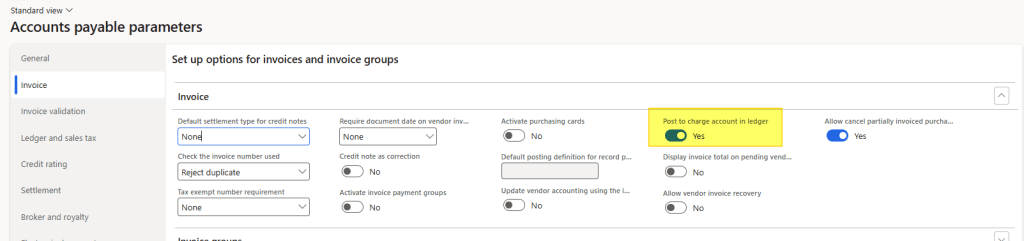
Account payable parameters
You can choose the option you prefer. Note that the impact differs slightly depending on the posting profile of the purchase order:
Process
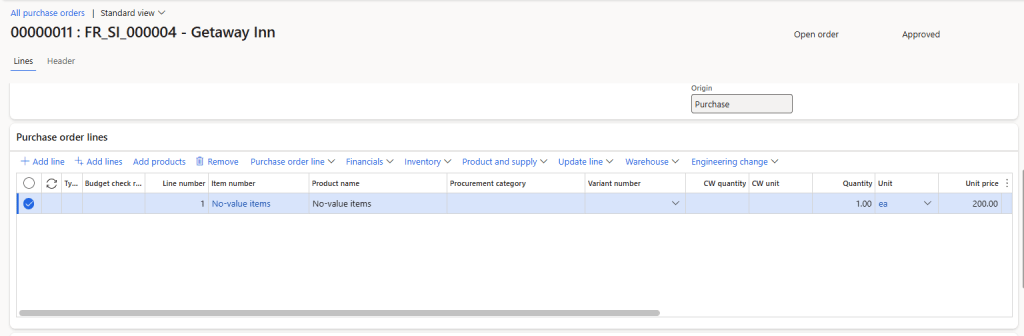
Let’s create a purchase order and review the effects across the system for the various events. That’s the information in our purchaser order case:
Product receipt
Stock transaction
When we post the product receipt, we can see that’s the transaction is posted without a physical value:
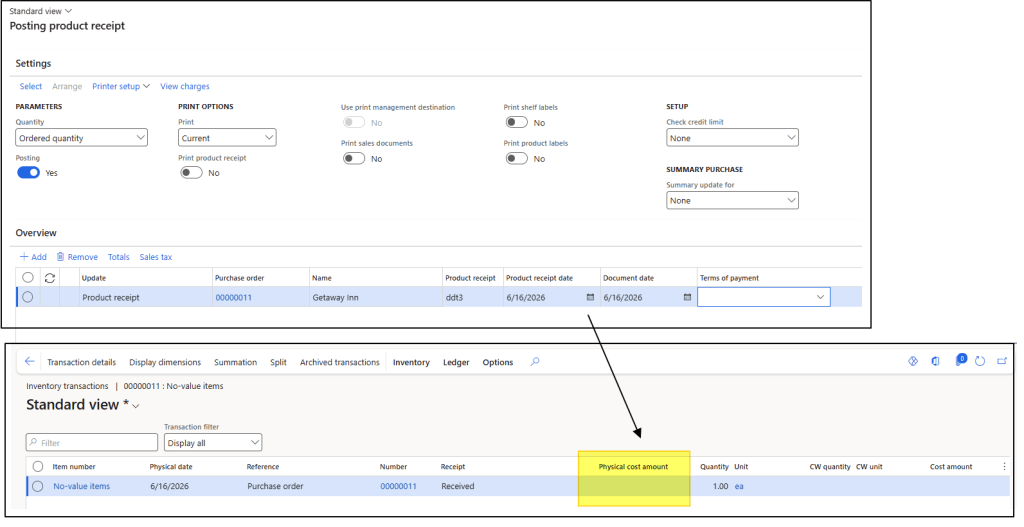
However, this value is not taken into account in the inventory stock value calculation:

Invoice to be receive
Because we have stock transaction,we can run see an outcome into the report invoice to be received:

Product receipt entry
The posting is slightly different depending on the selected option, but D365FO does not post any entries to the inventory stock accounts:
Disable – Post to cost account in ledger: It’s a perfect entry.

Enable – Post to cost account in ledger: Since the system cannot post to the inventory stock account, D365FO uses the Purchase expenditure, un-invoiced account as the offset for the stock value variation on the P&L. Se the cost account for these posting profile as well.

Vendor invoice
Stock transaction
The Financial value is posted, and automatically adjusted by D365FO. Thus the real value is null:

So the total value of the transaction is zero

Vendor invoice entry
The system focuses on posting the invoice entry, without affecting the inventory stock account. Any price variance between the invoice and the purchase order is handled in a different way based on the Accounts payable configuration:
Disable – Post to cost account in ledger

Enable – Post to cost account in ledger



Leave a Reply