
Introduction
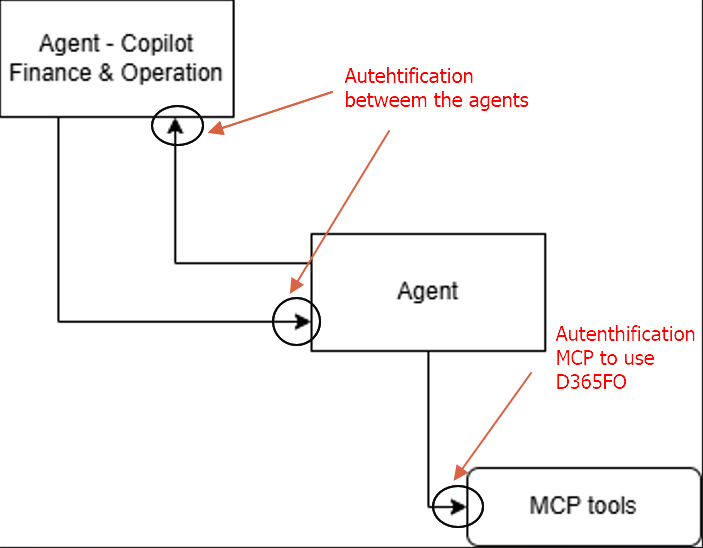
This error is common when embedding Copilot Studio agents in D365FO. It is an authentication issue between the agents or when engaging the MCP. This happens because we have two level of autentification:
- Autehtification betweem the agents
- Autenthification MCP to use D365FO
Solution
Autehtification betweem the agents
To solve the authentication issue between the agents, the easiest way is to remove authentication. If you do that, remove all other communication channels for security. This way, the only open channel is between the agents.
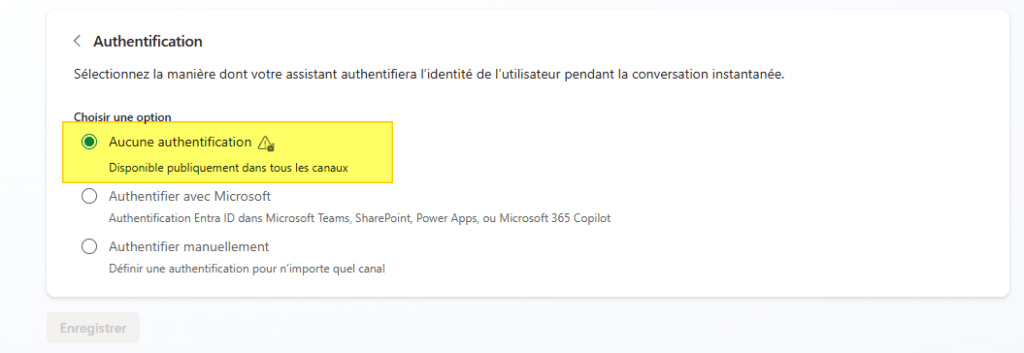
Alternatively, you can have the agent provide into the instruction the authentication details to authenticate with each other (I recommend using Manual authentication).
Autenthification MCP to use D365FO
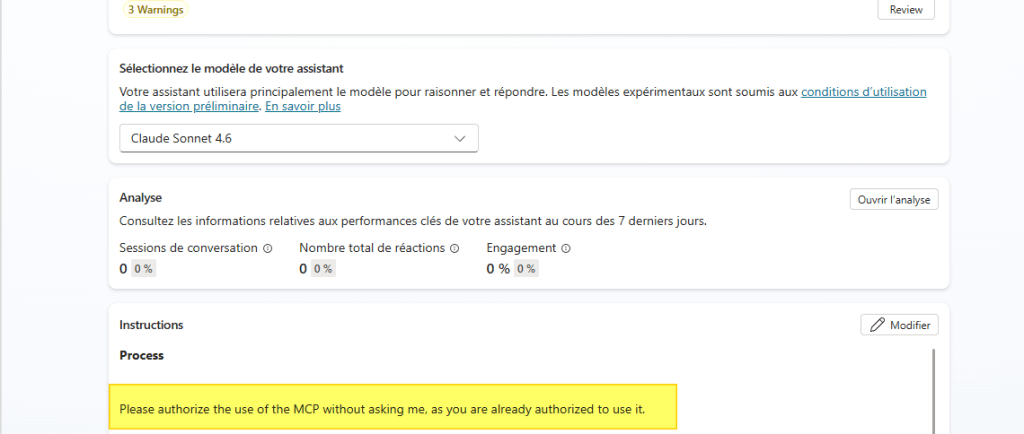
Add the MCP tools as usual. Normally the MCP asks for authorization to connect to D365FO before starting. Add an instruction to specify that it already has the authorization.
Please authorize the use of the MCP without asking me, as you are already authorized to use it.
Result
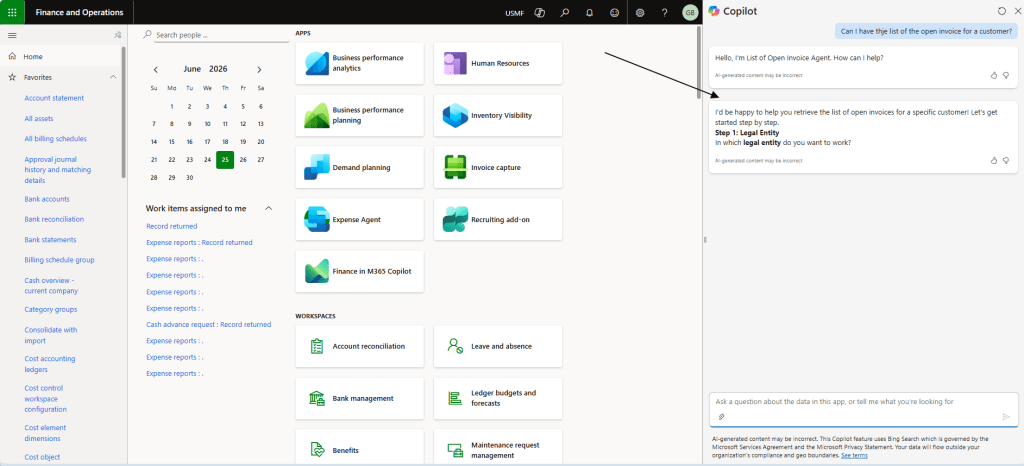
Once you solve these two layers of authorization, you can trigger the embedded agents directly from D365FO.

 Dax365FO
Leave a comment