
Introduction
This article is dedicated to accounting experts approaching D365FO for the first time. A common question is how to inquire about the payment (or other transaction) settled against an invoice. We will explore the options available.
From vendor transaction list
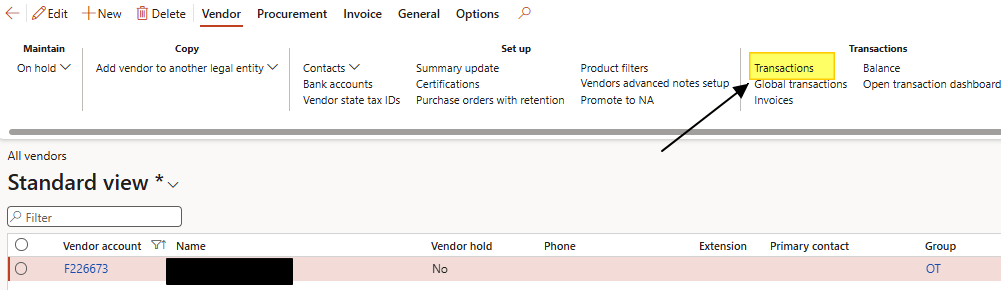
Path: Accounts payable> Vendors> All vendors.
Select the vendor you are interested in, then click on “Transaction”.
From here you can view all transactions and their current status (open, closed, residual amount, etc.). Select the invoice and click “View settlement” to see the document matched to the invoice.
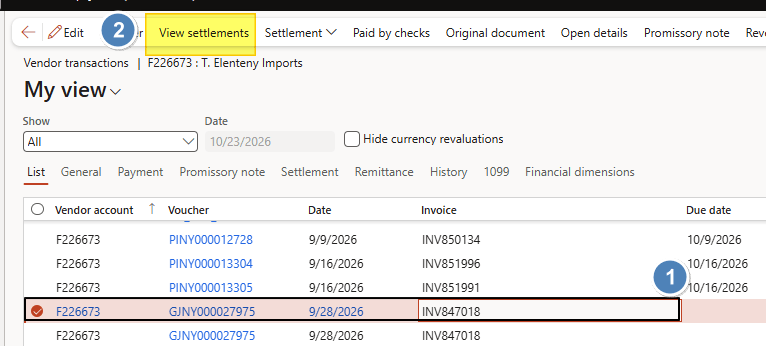
Below you can find our original invoice and all the settled transactions.

Vendor transactions report
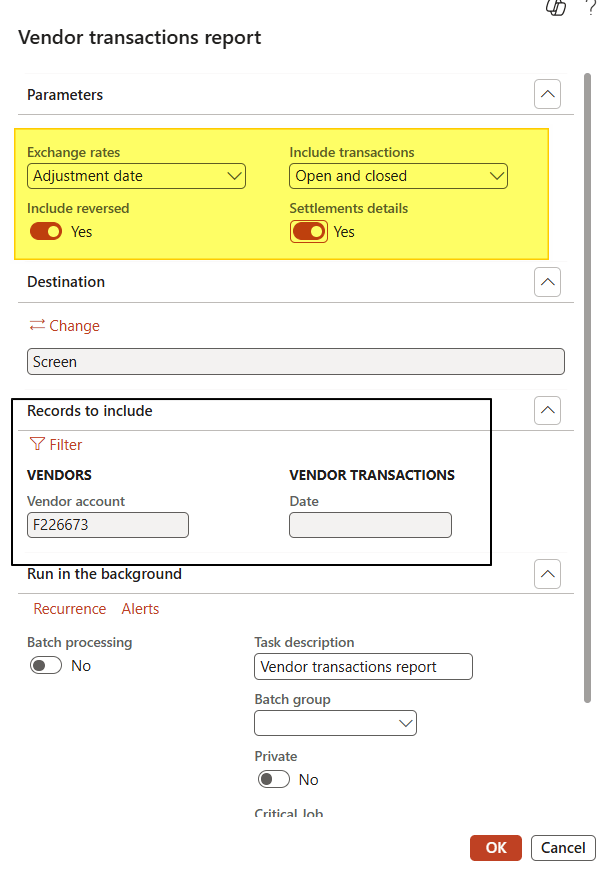
Path: Account payable> Inquiries and Report> Vendor transactions report.
Select whether to see open, closed, or both transactions. Make sure to check “Settlement details” to view the details of the settled transactions, and also check “Include reversed” if you want to see the reversed transactions.
Choose whether you want the snapshot for all vendors, or apply a filter for the vendor of interest.
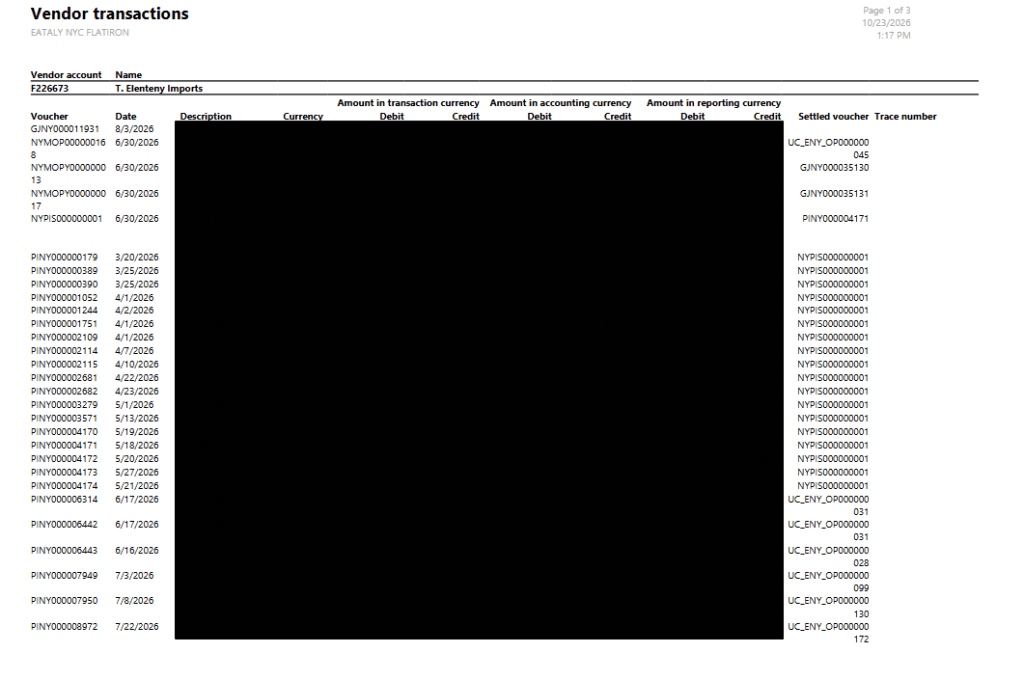
This is the outcome:


Leave a Reply