
Introduction
Data integration through OData or the Data Management Package REST API requires application authentication. Once authenticated, Microsoft issues a temporary token, which is then used to authenticate all subsequent requests.
Process
Token request
Create a POST request for this URL at this address (insert our tenant id).
https://login.microsoftonline.com/{Tenant Id}/oauth2/token
The body must contains:
- grant_type: client_credentials
- client_id: {our client id}
- client_secret: {our secret}
- resoure: the D365FO environment URL
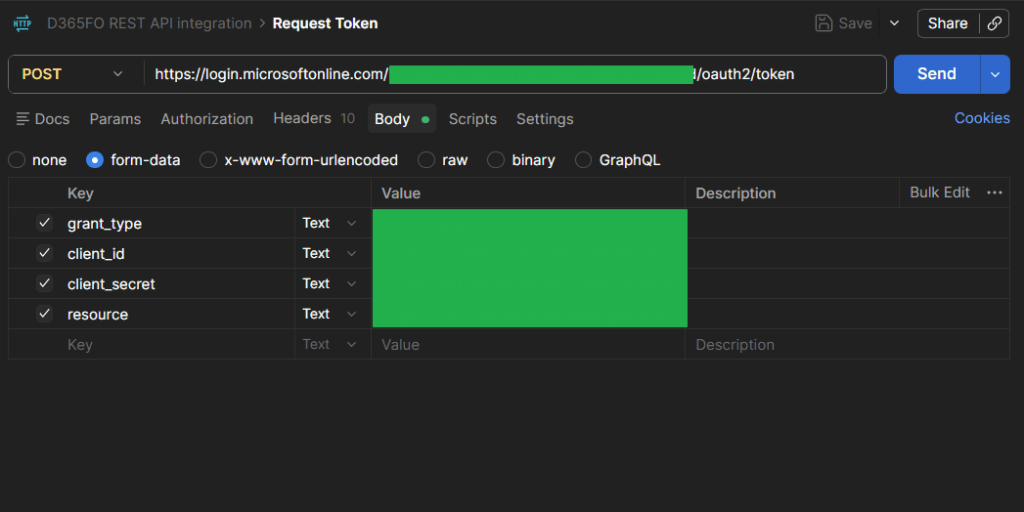
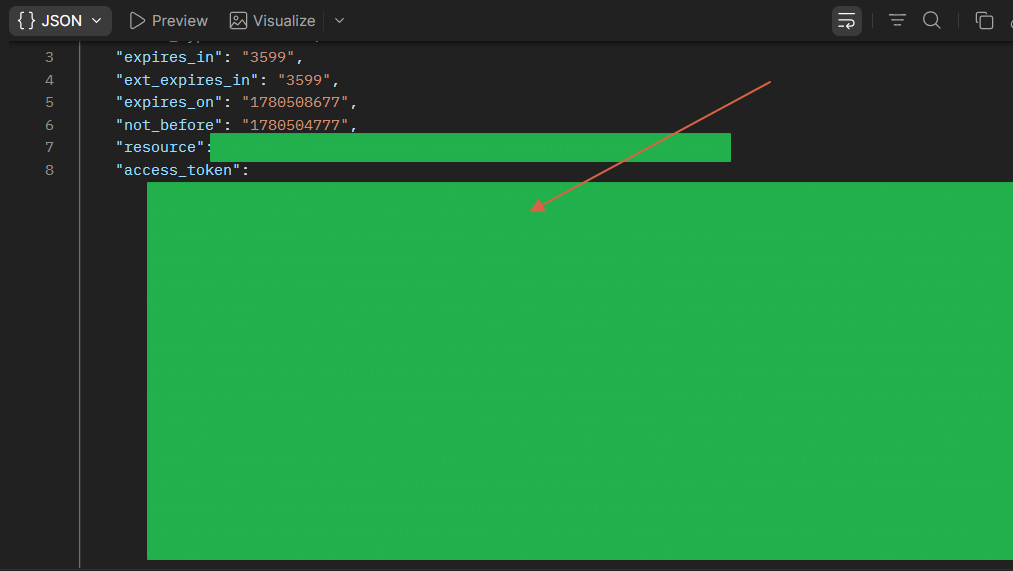
Once the request is sent, Microsoft will return an access token valid for approximately 1 hour. Retrieve the token from the access_token field in the JSON response.
Authentication request
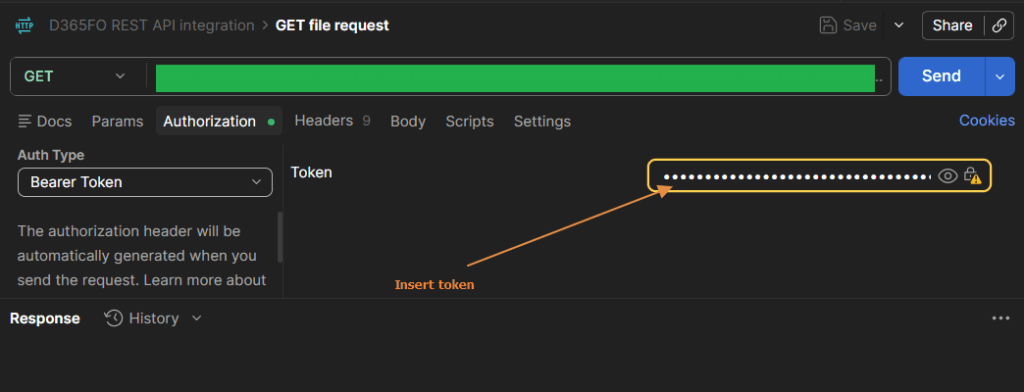
Each request to the OData or Data Management Package REST API must be authenticated using the access token.
Use the Bearer Token authentication type and insert the token in the Authorization header.


Leave a comment